News Ticker
A Moodle local plugin that displays a site-wide scrolling announcement ticker below the main navigation, above the page content. Ideal for broadcasting important notices, maintenance windows, or any time-sensitive message to all users across the site.
Screenshots
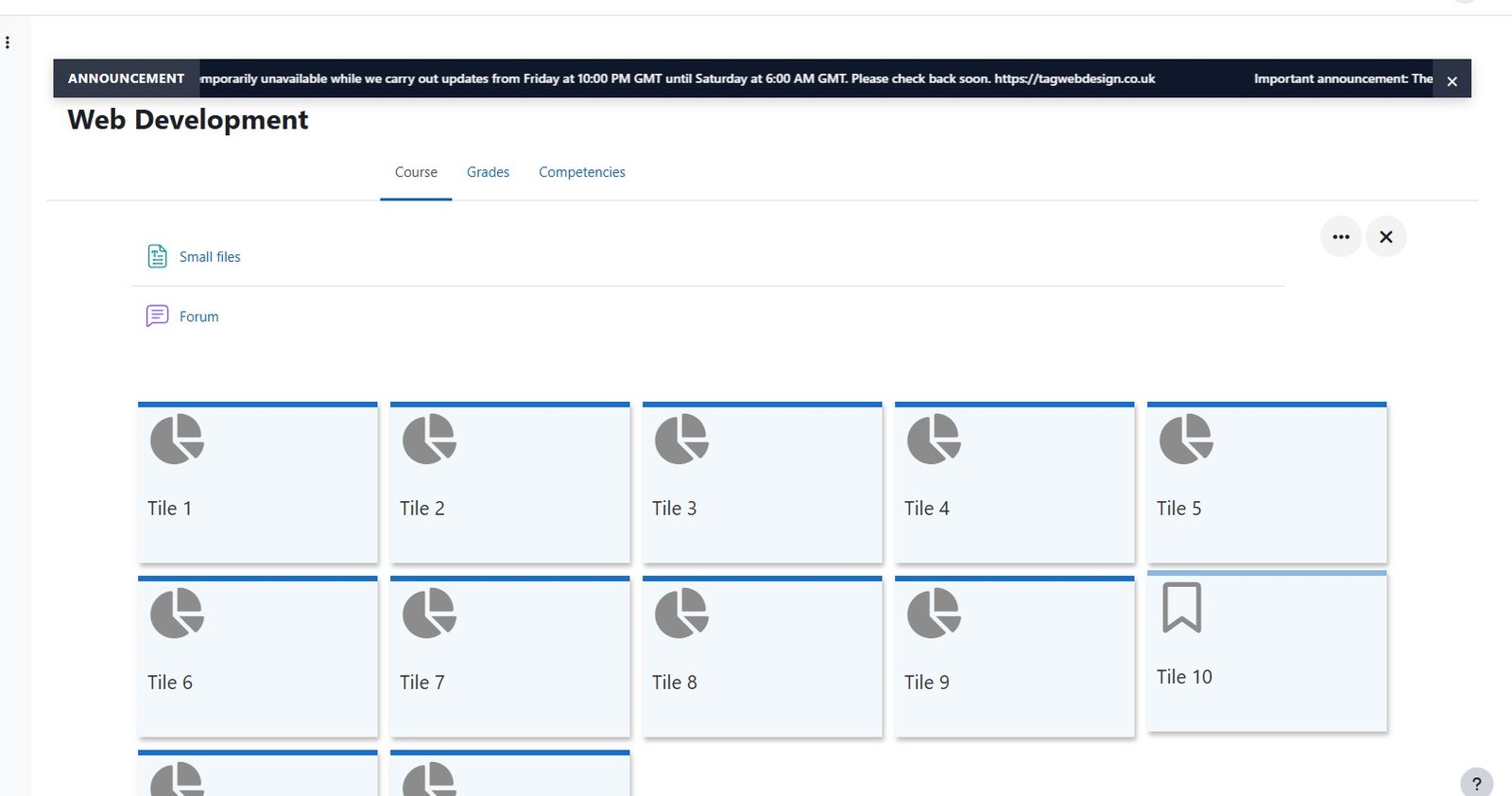
Site-wide announcements in Moodle — no fuss, no database
News Ticker is a lightweight local plugin for Moodle 4.5+ that displays a full-width scrolling announcement bar below the main navigation on every page of your Moodle site.
Enable it, type your message, pick your colours, and it is live for every user. No database tables, no migration, no performance impact. The announcement bar uses a pure CSS marquee animation — no JavaScript library required.
Users can optionally dismiss the ticker with a close button. The dismissed state is stored in the browser's sessionStorage so the ticker reappears on the next session, ensuring important messages are not permanently hidden.
Perfect for
- Maintenance window notices ("Moodle will be unavailable on Sunday 02:00–04:00")
- Deadline reminders ("Assignments for Module 3 close Friday at 23:59")
- Welcome-back messages at the start of term
- Site-wide urgent alerts for all staff and students
What's Included
Full-width scrolling ticker on every Moodle page
Displays below the main navigation bar, above the page content, on every page of your site — dashboard, course pages, activity pages, and admin pages.
Configurable message, colours, and scroll speed
Set the announcement text, background colour, text colour, and scroll speed from a single Moodle admin settings page. Changes take effect immediately — no cache purge required.
Pauses on hover so users can read in full
When a user hovers over the ticker bar, scrolling pauses automatically so they can read the complete message without chasing it across the screen.
Optional dismiss button per session
Enable an X button so users can dismiss the ticker for their current browser session. The message reappears the next time they open Moodle, so important notices are never permanently hidden.
Dismissed state stored in sessionStorage
If a user dismisses the ticker, the dismissed state is saved in their browser sessionStorage. It clears automatically when they close the tab — no user-specific database rows created.
Responsive — label hidden on small screens
On mobile and tablet devices, the "Announcement" prefix label is automatically hidden to give the message text maximum readable space inside the ticker bar.
Works with Boost, Adaptable, and custom themes
The ticker bar injects via a Moodle hook and uses namespaced CSS, so it works alongside any Boost-based theme without conflicting with theme styles.
Zero database footprint
The plugin stores its settings in Moodle's standard config_plugins table. No custom database tables are created during install — no performance overhead, no migration risk.
Pure CSS animation — no JavaScript library
The scrolling animation is implemented in CSS only. No jQuery, no animation library, no external dependencies. Loads in microseconds and works even if JavaScript is disabled.
System Requirements
Frequently Asked Questions
Support
The plugin is free and open source (MIT licence). Download from GitHub or Moodle.org. For questions or bug reports, open an issue on the GitHub repository.
Related Plugins
Exam Notification Reminder
Automatically displays a preparation checklist modal to students before upcoming exams — based on quiz schedule detection.
- Automatically detects upcoming quizzes across all courses
- Configurable days-before threshold
- Modal with checklist, links, and custom instructions
- Confirm or Remind-me-later interaction
- Admin preview and WYSIWYG editor
Study Planner
A Moodle-native, cross-course study planner. Study Planner reads deadlines from every enrolled course, combines them with each student's declared availability, and builds an automatically rescheduling Today/Week plan - with reminders, personal tasks, a calendar feed, and an optional dashboard block.
- Cross-Course Deadline Import
- Rule-Based Scheduling Engine
- Today & This Week Views
- Automatic Rescheduling
- Personal Tasks
Ready to Deploy News Ticker?
Install it on your Moodle site in minutes. Need customisation or a bespoke plugin? Get in touch.
The word Moodle and associated Moodle logos are trademarks or registered trademarks of Moodle Pty Ltd or its related affiliates.